MultiType Pixel Slim: A Modern Display Typeface for Bold Designs
The Distinctive Character of a Pixelated Font
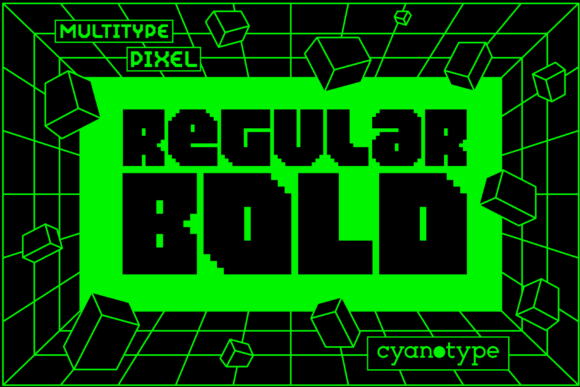
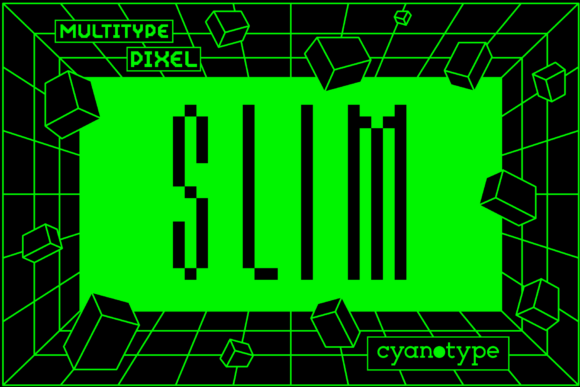
Looking for a typeface that breaks the mold? MultiType Pixel Slim is a cool, uniquely shaped, pixelated display font that immediately captures attention. It’s designed to add a distorted and trendy touch to your projects, offering an unusual aesthetic that stands apart from standard serif or sans serif fonts. This isn't just another creative font; it's a statement piece built for designers who want to inject energy and a digital edge into their work. Its sharp, grid-based geometry gives it a modern typography feel, perfect for making a strong visual impact.
Unlocking Creative Potential with PUA Encoding
One of the most practical features of this premium font is its full PUA encoding. For those unfamiliar, this means every glyph, swash, and alternate character is easily accessible without requiring specialized design software. You can simply copy and paste the unique stylistic elements into any application. This accessibility makes MultiType Pixel Slim incredibly versatile for:
- Logo design and brand identity systems that need a memorable icon.
- Social media graphics where quick customization is key.
- Packaging design requiring distinctive labels or headlines.
- Poster design and editorial design for impactful titles.
This functionality turns a complex-looking typeface into a user-friendly design asset.
Ideal Applications for This Unusual Typeface
So, where does a pixelated display font like this truly shine? Its bold, geometric structure makes it ideal for contexts where readability from a distance is secondary to immediate visual appeal. Think of it as your go-to for headlines, logos, and short bursts of text. It can transform web design headers, merchandise branding, event invitations, and digital product packaging. When used for brand identity, it communicates innovation, tech-savviness, and a forward-thinking attitude. However, it's best to pair it with a cleaner, highly legible body font—like a simple sans serif or a classic serif font—to ensure your message remains clear.
Practical Tips for Effective Implementation
To get the most out of MultiType Pixel Slim, consider a few key principles. First, focus on visual hierarchy. Use it for your main headline or logo mark to draw the eye, then let supporting text recede with a more neutral typeface. Second, mind your scalability. While it looks fantastic at large sizes on screens and prints, test its clarity at smaller dimensions, especially on low-resolution displays. Its "slim" variant offers a bit more refinement than bulkier pixel fonts, but careful testing is always wise. Lastly, always check the font licensing for your specific commercial use cases to ensure compliance.
Making a Lasting Impression with Typography
Typography is a silent ambassador for your brand. The choice of a distinctive typeface like MultiType Pixel Slim can instantly shape perception, conveying creativity, modernity, and a touch of playful distortion. It’s a font download that offers more than just letters; it provides a design language. By integrating this creative font thoughtfully into your projects, you ensure your designs don't just communicate—they captivate. Choosing the right typeface is a foundational step in crafting a polished and professional presentation that resonates with your audience.